Nasty Performance ~ 847-458-4858 

  • Blog Home
  • Categories
    • Motorcycle Maintenance
    • Riding Tips & Preps
    • Safety & Inspection
    • Customizations & Upgrades
    • DIY Motorcycle Repairs
    • Motocycle Audio Systems
    • Motocycle Seasonal Care & Storage
    • Engine, Electrical Performance
  • Bike Night
  • Nasty Performance Motorcycle Shop
June 03.2026
1 Minute Read

Common Issues with Motorcycle Bluetooth Speaker Setup Every Rider Should Know

Did you know that up to 30% of new motorcycle stereo system owners experience connectivity issues within the first month of installation? If you thought pairing your motorcycle’s Bluetooth speakers was going to be seamless, you’re not alone in facing unexpected roadblocks. From sound quality dips to voice command misfires, these hidden challenges can impact your entire ride—and your audio experience. Whether you’re a seasoned biker yearning for superior audio or a newcomer trying to avoid common problems, understanding these pitfalls can lead to a flawless highway soundtrack.

Unlocking the Truth: Surprising Facts About Common Issues with Motorcycle Bluetooth Speaker Setup

"Did you know that up to 30% of new motorcycle stereo system owners experience connectivity issues within the first month of installation?" – Industry Insider

Motorcycle Bluetooth speaker setup isn’t as plug-and-play as many would hope. Riders across the globe report frequent interruptions with their stereo system, unexpected dropouts, challenges with handlebar speakers, and difficulty harnessing the power of advanced features like voice command. The truth about common issues with motorcycle Bluetooth speaker setup is that they often stem from a combination of factors—device compatibility, installation errors, or Bluetooth connectivity limitations. Many riders choose Bluetooth-equipped systems for the promise of hands-free convenience and great sound, but soon discover that achieving superior sound quality often takes troubleshooting and patience.

Beyond the promise of a better audio experience at highway speeds, many find themselves stuck with muffled audio quality, frustrating disconnects, or difficulties controlling their stereo system via voice command. The good news is that with a bit of guidance, these common problems are avoidable—delivering the superior performance motorcycle stereo systems promise. Let’s dive deeper into what you need to know to sidestep audio setbacks and enjoy every mile of your favorite road tunes.

What You'll Learn About Common Issues with Motorcycle Bluetooth Speaker Setup

  • Identify the most frequent problems with motorcycle stereo and Bluetooth connectivity
  • Understand the impact of common issues on sound quality and audio experience
  • Explore troubleshooting steps to resolve pairing, sound, and voice command failures
  • Review expert tips for optimal motorcycle stereo system installation
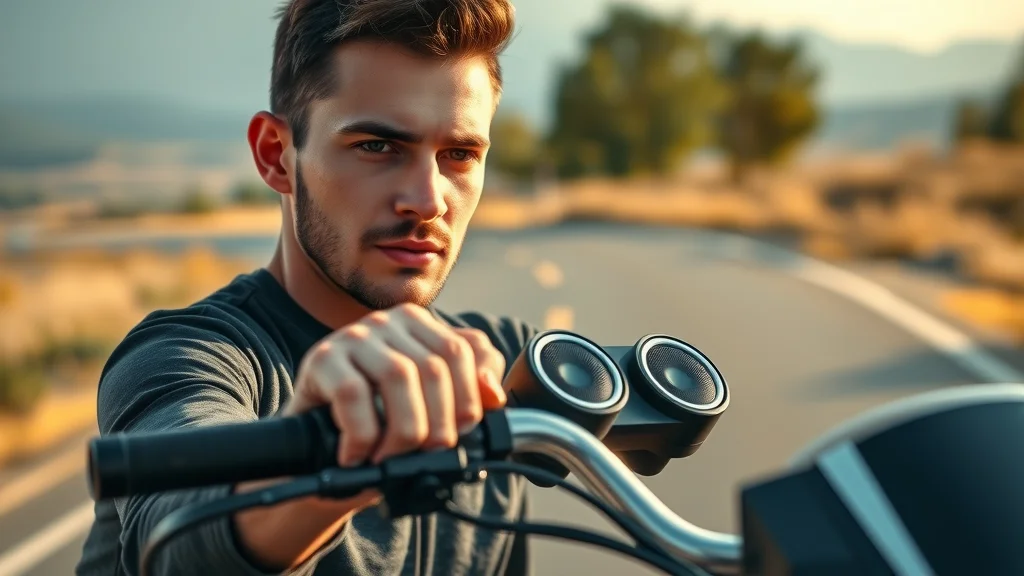
Modern motorcycle handlebars with integrated Bluetooth speakers and confident rider adjusting the stereo controls in scenic natural lighting for motorcycle stereo system detail.

Understanding Motorcycle Stereo Systems: The Foundation of Bluetooth Speaker Setup

Before diving into the details of common problems, it's vital to understand how your motorcycle stereo system actually works. The system's core includes a head unit, amplifier (often upgraded with an amp kit or amp kits for enhanced audio quality), and handlebar speakers. These components work together to deliver great sound and clear communication at highway speeds, even when wind noise and engine noise threaten to disrupt your ride. The latest systems deliver an advanced audio experience with superior performance, allowing you to stream your favorite tracks while navigating tough road conditions.

Modern motorcycle stereo systems are engineered to withstand the elements and prioritize both sound quality and long-term battery life. However, achieving optimal audio performance requires every component—from handlebar speakers to Bluetooth modules—to function in harmony. Compatibility between the system’s operating system and your smart device is crucial for seamless Bluetooth connectivity and flawless voice command interactions. When even a single element isn’t configured properly, the entire experience can suffer.

Components of a Motorcycle Stereo System and Key Features

The essential features of today’s motorcycle stereo systems include the head unit (which acts as the central control), robust amplifier units, waterproof handlebar speakers, and Bluetooth modules for wireless connectivity. Each piece contributes to delivering superior audio—resisting wind and engine noise, even at highway speed. Many systems are now designed to integrate voice command capability, which boosts safety by enabling hands-free operation for music and navigation. If one component falls short—for instance, if your amp kit isn’t powerful enough or your speakers aren’t weatherproof—your audio quality will suffer.

Additional features to consider are weather-resistant construction, streamlined mounting systems that secure handlebar speakers without vibration, and firmware updates that optimize Bluetooth connectivity protocols for your motorcycle model. Understanding these technical details helps riders choose a system that delivers a consistently high-quality, resilient audio experience, regardless of road conditions and speed.

How Handlebar Speakers and Stereo Systems Interact with Bluetooth Connectivity

Handlebar speakers are more than just basic audio output devices—they are crucial links in your motorcycle stereo’s communication chain. When properly installed, they seamlessly sync with your head unit through Bluetooth technology, but only if the Bluetooth module is installed in an optimal location. Bluetooth connectivity is what allows you to interact with your audio using your smartphone, making it easy to adjust volume, clarify navigation cues, or manage playlists mid-ride. But disruptions can occur easily: If there’s signal interference, a weak connection, or outdated firmware, common problems can emerge—manifesting as poor sound quality or unexpected drops in audio experience.

Understanding how each part of the motorcycle stereo system works together—and the vital role Bluetooth connectivity plays—sets a foundation for troubleshooting. By aligning your handlebar speakers, stereo system, and Bluetooth functions, you gain control over your audio experience, helping prevent the connectivity issues that so many riders face within weeks of setup.

For riders looking to further minimize audio disruptions and keep their systems performing at their best, it's also important to consider how seasonal changes can impact your bike’s electronics and sound equipment. Discover practical maintenance strategies in this guide to seasonal bike care secrets every rider must know, which covers essential steps to protect your motorcycle’s audio and electrical systems year-round.

The Most Common Issues with Motorcycle Bluetooth Speaker Setup

  • Bluetooth connectivity interruptions
  • Poor sound quality and audio experience
  • Voice command malfunctions
  • Compatibility issues with motorcycle stereo systems
  • Frequent disconnection of handlebar speakers

Riders choose motorcycle stereo systems with the hope of achieving that superior audio experience on open roads and highway speeds. However, almost immediately after installation, many notice issues ranging from random Bluetooth disconnections to muffled audio or even total voice command failure. Incompatibility often occurs when the Bluetooth module or handlebar speakers don’t match the motorcycle’s make or operating system, making seamless communication impossible. Battery capacity can also influence signal strength, especially when high-powered amp kits and stereo systems push their limits.

Common complaints also include persistent wind noise overpowering songs or navigation prompts, and the frustration of constant reconnecting between devices. Not all Bluetooth protocols play well together, especially with older or mismatched stereo system components. These problems persist despite manufacturers’ claims about superior performance, highlighting the need for a more strategic approach to both installation and system maintenance.

Bluetooth Connectivity Problems in Motorcycle Stereo Systems

Anyone who has attempted to connect their smartphone with handlebar speakers knows that Bluetooth connectivity can be a real pain point in motorcycle stereo systems. Even after following setup instructions, some riders find that devices simply refuse to pair, or, if they do, experience frequent disconnections which break up the audio experience. The reasons range from software and firmware incompatibility to environmental factors like nearby engine noise or even physical obstacles blocking the Bluetooth module.

The impact is immediate: Patchy music playback, lost navigation cues in the middle of unfamiliar city streets, or inability to take calls safely through your voice command system. These complaints highlight how critical stable Bluetooth connectivity is for both safety and enjoyment. But with the right diagnostic approach and troubleshooting, most issues can be prevented or resolved before they turn your ride into a tech nightmare.

Symptoms and Causes of Bluetooth Pairing Issues

The first sign of trouble with motorcycle Bluetooth speaker setup is often an inability to pair or maintain a solid connection between your smartphone and the stereo system. This may show as devices refusing to recognize each other, repeated requests for inputting a pairing code, or even successful pairing followed by sudden dropouts at random intervals. Many times, these symptoms are indications of underlying problems like outdated firmware, interference from other wireless signals, or residual data from previous pairings clogging the system.

In some cases, proximity to other Bluetooth devices, engine or wind noise, highway speeds, and fluctuating battery life can also contribute to intermittent connectivity. If your Bluetooth module is not installed where the signal can travel freely, or if certain components aren't compatible with each other, the odds of experiencing these common problems increase. Recognizing these patterns is essential for any rider who wants to maintain superior audio reliability on every ride.

Steps to Troubleshoot Common Bluetooth Connectivity Difficulties

If you discover ongoing Bluetooth connectivity problems, there are proven steps to resolve them. Begin by restarting both the stereo system and your mobile device, then remove all previous pairings and start a fresh connection. Ensure your firmware is up to date—manufacturers regularly push out fixes for Bluetooth issues that can restore stable connections. If the problems persist, check the placement of your Bluetooth module and verify no physical barriers are hindering the signal. Repositioning the module can improve signal strength and reduce interference from engine noise or weather conditions.

For stubborn cases, examine whether your motorcycle model or operating system is fully compatible with your chosen handlebar speakers and stereo system. Isolate variables by disconnecting other Bluetooth devices that may be in range and interfering with your connection. Finally, refer to your manufacturer’s troubleshooting steps or contact a service center for advanced diagnostics, especially if your audio experience is still disrupted after following these steps.
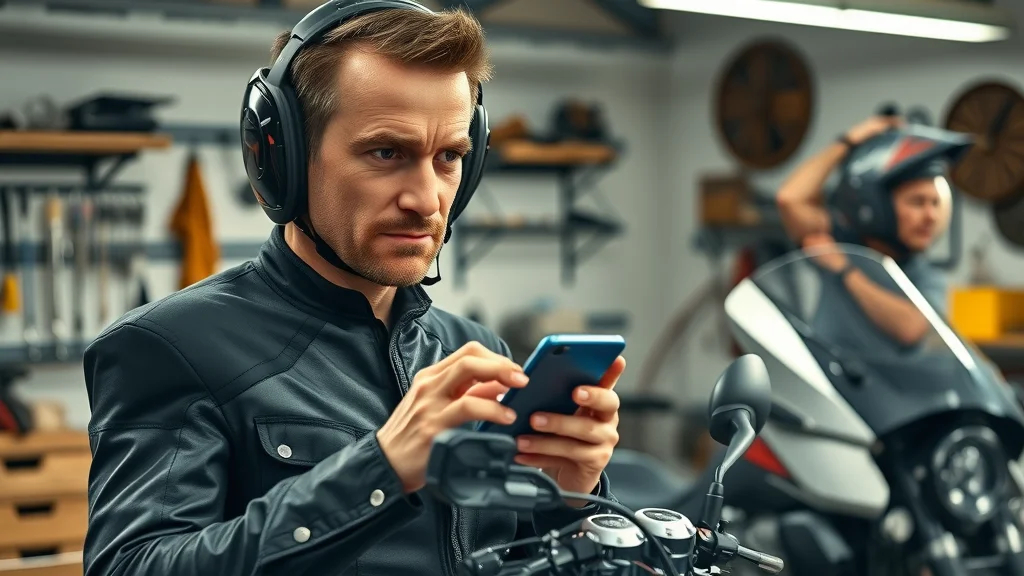
Frustrated motorcyclist troubleshooting Bluetooth connectivity in motorcycle stereo system with handlebar speakers in garage setting.

Sound Quality Concerns: Elevating Your Motorcycle Audio Experience

Outstanding sound quality is at the heart of a premium motorcycle audio experience. Yet, riders often encounter muffled, distorted, or weak sound from their handlebar speakers—even after investing in high-quality components. Even top-tier stereo systems can fall short at highway speed, as wind noise, engine noise, and road conditions impact clear audio delivery. Addressing these issues requires a systematic approach to diagnosing both installation problems and hardware limitations.

To achieve great sound, it’s critical to match speaker wattage with amplifier output, review wiring connections, and make sure weatherproof handlebar speakers are properly secured and angled. Riders should not underestimate the value of amp kits to boost signal transmission and cut through wind interference. Ultimately, the best audio experience results from fine-tuning and occasionally upgrading components to suit your unique motorcycle model and typical riding environment.

Diagnosing Sound Quality Issues in Your Motorcycle Stereo System

Does your music sound garbled or lack volume and clarity at highway speeds? Diagnosing sound quality issues starts with a careful check of each element in your motorcycle stereo system. First, inspect all wiring to ensure there are no loose or frayed connections which can cause intermittent audio quality glitches. Next, make sure that both the head unit and amp kit provide enough power for your handlebar speakers—an underpowered amp will result in muffled or distorted audio, especially when you increase the volume to counteract road and wind noise.

Environmental factors cannot be ignored. Rainwater or condensation getting inside speaker grilles can degrade both immediate and long-term sound quality, highlighting the need for weatherproof speakers. Incompatible components (for example, pairing outdated Bluetooth modules with the latest high-wattage handlebar speakers) can lead to persistent audio performance issues. Conduct tests at both low and highway speeds to assess whether problems are constant or specific to certain circumstances—this diagnostic approach allows you to isolate audio issues before seeking further support or servicing.

Top Recommendations for Clearer Handlebar Speakers

To optimize your audio experience, start by using weatherproof, high-sensitivity handlebar speakers capable of superior audio output in harsh environments. Install them at optimal angles—to direct sound directly toward your ears and minimize loss to the wind—as orientation can significantly affect the final audio quality. If sound remains weak at highway speeds, consider upgrading your amp kit and double-checking all wiring connections for maximum power delivery and minimal signal loss.

Firmware updates often improve Bluetooth connectivity and audio performance, so keep your stereo system up to date for better clarity and reliability. Finally, always calibrate your system by adjusting equalizer settings and testing both low and high-frequency ranges to achieve great sound. Remember, every motorcycle model and rider preference is different—periodic system maintenance and occasional upgrades yield the best long-term results.

"When the stereo system is not matched properly with the speaker wattage, riders often report muffled or distorted audio experience." – Audio Technician
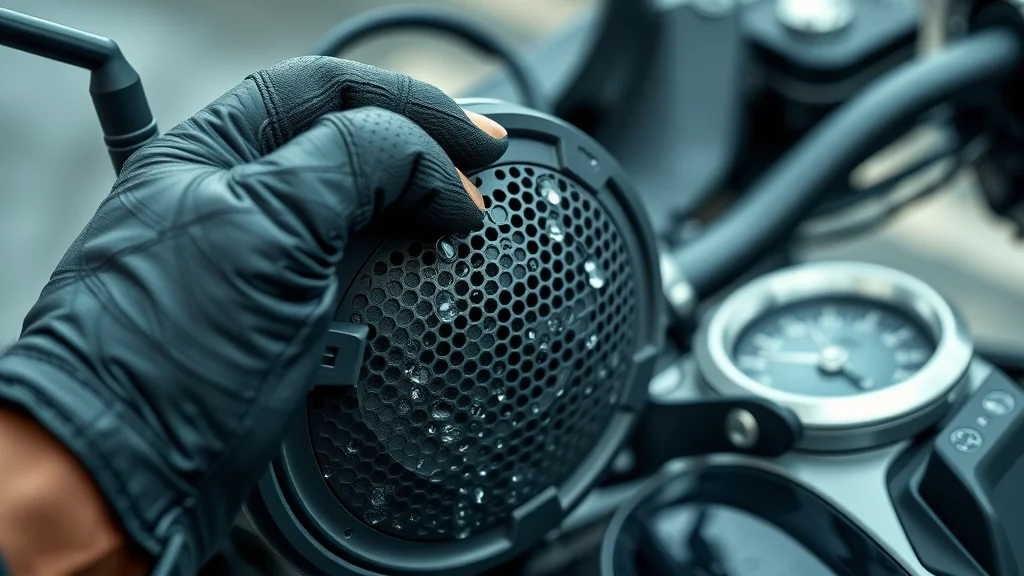
Close-up of waterproof motorcycle handlebar speaker with gloved biker hand adjusting audio settings, emphasizing sound quality and weatherproof features.

Voice Command Features and Their Common Problems in Motorcycle Bluetooth Speaker Setup

Voice command is a crucial innovation in modern motorcycle stereo systems, enabling riders to control music, answer calls, and trigger navigation at highway speeds while keeping their hands firmly on the bars. However, this feature also introduces new challenges. From under-responsive microphones to misinterpretations caused by wind and road noise, voice command issues can undermine the safety and convenience these systems promise.

Many riders discover that their motorcycle stereo system’s voice command performance is inconsistent. Sometimes commands are misunderstood, only partially received, or ignored entirely. This is especially true if the Bluetooth module’s firmware is outdated, or if the system is not calibrated for a rider’s specific voice or accent. Addressing these issues early is key to leveraging the full potential of voice command and maintaining a safe, enjoyable ride at all speeds.

Challenges with Voice Command Integration

The biggest challenge with integrating voice command features into your motorcycle stereo system is achieving consistent reliability in real-world riding environments. At highway speeds, engine and wind noise can easily drown out spoken commands, confusing the system or triggering unwanted actions. Not all handlebar speakers have the microphone sensitivity or directional pickup required to capture clear communication, especially if not installed near the rider’s mouth or shielded from airflow.

Software mismatches and outdated firmware can also limit voice command functionality—even in expensive, top-rated motorcycle stereo systems. Riders may find that certain commands aren’t recognized, or that their voice assistant activates unintentionally due to vibration or ambient sounds. Understanding your system’s limitations and working within those parameters is the first step to achieving reliable voice command performance on every ride.

Tips for Reliable Voice Command Performance

To improve voice command integration, begin with a system calibration session—many motorcycle stereo systems allow you to “train” voice assistants to better understand your tone and accent. Position Bluetooth microphones as close as possible to your mouth, shielding them from wind noise with foam covers or mic placement inside a helmet. Stay current on firmware updates, since many voice command glitches are resolved with regular software patches issued by manufacturers.

Avoid giving commands at peak highway speeds or in high wind and engine noise environments—instead, perform most control actions while stopped or riding slowly. If problems persist, check compatibility between handlebar speakers, microphones, and your Bluetooth module’s version. Sometimes, swapping out components or consulting your service center for a quick inspection can yield superior performance and a safer hands-free audio experience.
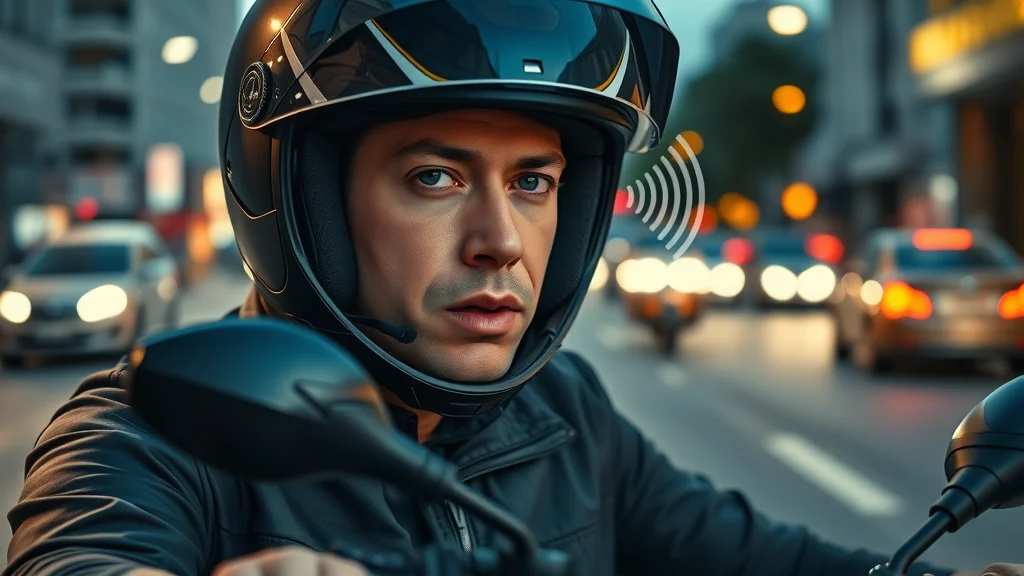
Motorcyclist using voice command with visible Bluetooth mic and focused expression, highlighting advanced motorcycle stereo features for clear communication while riding.

Installation Mistakes and Their Role in Common Issues with Motorcycle Bluetooth Speaker Setup

  • Improper wiring of the stereo system
  • Faulty Bluetooth module placement
  • Using incompatible motorcycle stereo system components

The foundation of a flawless motorcycle audio experience lies in the care and accuracy invested during installation. Improper wiring of the stereo system, rushed placements of the Bluetooth module, or using mismatched components are all frequent sources of frustration for riders. Faulty connections can result in poor sound quality, constant Bluetooth connectivity issues, or even completely non-responsive systems. Even something as simple as overlooking secure grounding or not consulting a manual can lead to persistent audio and connectivity challenges.

Component compatibility matters more than many realize—pairing a high-powered amp with low-wattage handlebar speakers may not only result in poor sound but could damage sensitive hardware. Similarly, Bluetooth modules mounted too close to metal surfaces or buried beneath other components may suffer from signal interference or range problems. Reviewing each system part before purchase and installation helps prevent these common problems, saving both time and repair costs down the line.
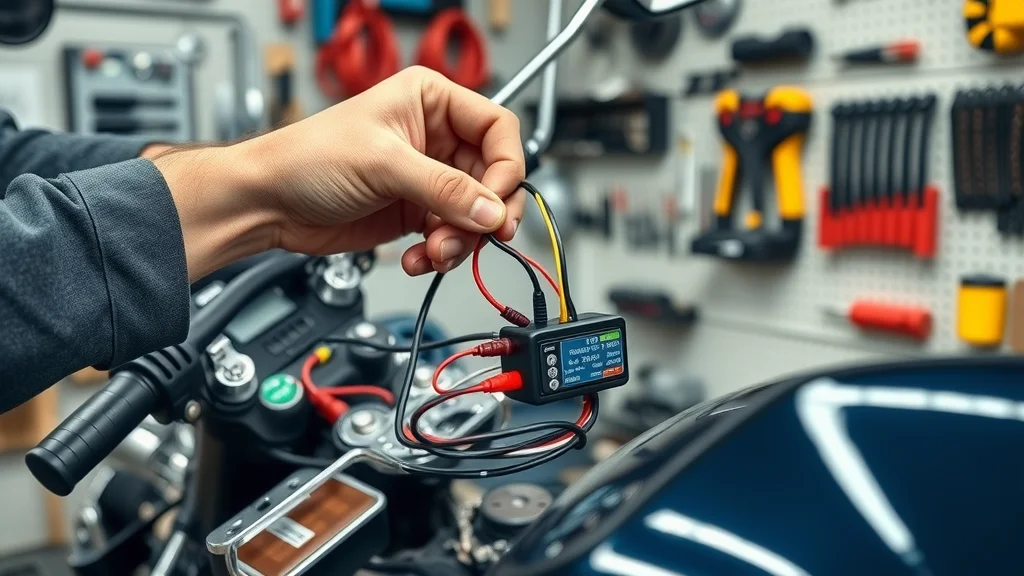
Technician installing motorcycle stereo system with careful wiring and Bluetooth module connection for optimal audio and Bluetooth performance.

Checklist: Avoiding Problems in Your Motorcycle Bluetooth Speaker Setup

  1. Review stereo system instructions thoroughly
  2. Test Bluetooth connectivity before final assembly
  3. Calibrate sound quality for your handlebar speakers
  4. Enable and test all voice command features
  5. Verify compatibility of all motorcycle stereo components

Using this checklist, every rider can significantly reduce the risk of dealing with common problems in their motorcycle Bluetooth speaker setup. Whether you’re installing a new system or upgrading your handlebar speakers, following each step helps protect your investment while ensuring an audio experience that meets—or exceeds—expectations. If you need expert assistance at any stage, don’t hesitate to consult your local service center for troubleshooting or professional installation.

Expert Tips for an Optimal Motorcycle Stereo and Bluetooth Setup

  • Keep firmware up to date for enhanced bluetooth connectivity
  • Use weatherproof speakers for better sound quality
  • Install handlebar speakers at optimal angles
  • Secure all stereo system connections to avoid short-circuits

Experience has shown that keeping your motorcycle stereo system updated and well-maintained is just as vital as the initial installation. Firmware updates can dramatically improve Bluetooth connectivity and audio performance, resolving minor glitches with simple downloads. Investing in weatherproof speakers ensures you get great sound–rain or shine–without risking speaker or system failure. Angling handlebar speakers correctly prevents wind noise from muddying your favorite tracks, while tightly secured wiring guards against sudden power loss or intermittent signals at highway speeds.

Routine checkups are wise—even if you don’t notice any immediate issues, catching a loose wire or outdated firmware before your next ride averts bigger problems in the future. Pair these tips with regular calibrations to keep your audio experience clear and consistent, regardless of road conditions or the demands of your chosen highway adventure.

Visual Guide: Video Tutorials for Mastering Motorcycle Bluetooth Speaker Setup

This instructional video details step-by-step techniques for connecting Bluetooth speakers to your motorcycle stereo system. Topics covered include resolving pairing failures, identifying common connectivity drop-outs, and optimizing voice command reliability—demonstrated on location in a professional bike workshop for real-world clarity.

Watch how experts adjust amplifier settings, select weatherproof speakers, and correctly position handlebar units to eliminate distortion and maximize audio quality, even at highway speeds. These visual guides can help you avoid the most common problems and enjoy a flawless listening experience on every ride.

People Also Ask: Motorcycle Bluetooth Speaker Setup FAQs

How do I fix the Bluetooth speaker pairing problem?

To resolve pairing issues with your motorcycle Bluetooth speaker setup, begin by restarting both your stereo system and mobile device. Remove previous pairings from each device to prevent conflicts, then attempt a fresh connection. Make sure your devices' firmware is current, as updates often correct Bluetooth connectivity glitches. If problems persist, optimize Bluetooth module placement for signal strength and check for compatibility with your motorcycle stereo system and handlebar speakers before attempting to pair.

Why is my Bluetooth speaker glitchy?

Bluethooth speakers may become glitchy due to signal interference, outdated firmware, or poor integration with your motorcycle stereo system. Common solutions include re-pairing devices, disconnecting other wireless electronics nearby, and updating your device firmware. Ensuring all system components are compatible and properly connected can prevent recurring glitches affecting your audio experience, especially at highway speeds or in challenging road conditions.

Why do my Bluetooth speakers keep going in and out?

Frequent audio drop-outs can result from exceeding Bluetooth range, encountering physical or electronic interference (such as from engine noise or other wireless devices), or from low battery capacity in either the stereo system or mobile device. To remedy this, keep devices within recommended distance, minimize signal obstacles, and charge both stereo system and smartphone prior to rides. If drop-outs continue, reposition the Bluetooth module or update system firmware for improved connectivity.

How do motorcycle Bluetooth speakers work?

Motorcycle Bluetooth speakers connect wirelessly to the stereo system head unit via Bluetooth protocols. Audio streams from your smartphone or GPS through the system, delivering music or navigation directly to handlebar speakers. Voice command functionality allows you to control playback, answer calls, or adjust settings hands-free, enhancing both sound quality and ride safety at any speed.

Comparison Table: Common Issues with Motorcycle Bluetooth Speaker Setup

Issue Symptom Troubleshooting Step Potential Fix
Pairing Failure Unable to connect via Bluetooth Restart devices, clear pairings Re-pair, update firmware
Poor Sound Quality Muffled/distorted audio Check connections, adjust settings Replace cables/speakers
Voice Command Issues No/erratic response Reset system, re-train commands Firmware update
Frequent Disconnections Audio cuts out Check range, interference Minimize obstacles, reset Bluetooth

Collection of modern motorcycle Bluetooth speaker units emphasizing waterproof and stereo system features in slick product photo.

Frequently Asked Questions: Troubleshooting Motorcycle Stereo System and Bluetooth Setups

  • What is the ideal distance for Bluetooth connectivity in motorcycle stereo systems?
  • How can I improve sound quality on my handlebar speakers?
  • What steps can I take if voice commands aren't working?
  • Are all motorcycle stereo systems compatible with Bluetooth handlebar speakers?

Key Takeaways: Avoiding Common Problems with Motorcycle Bluetooth Speaker Setup

  • Understand core setup components for a reliable audio experience
  • Troubleshoot issues with proven, expert-endorsed steps
  • Regular maintenance extends your motorcycle stereo system’s life
  • Leverage voice commands for safer riding

Ready for a Flawless Ride?

"Ensure your next ride is uninterrupted by common Bluetooth speaker issues. Call Nasty Performance Motorcycle Shop Today: 847-458-4858 for expert help!"

If you’re committed to keeping your motorcycle’s audio system—and the rest of your bike—in peak condition, don’t stop here. Expanding your knowledge with broader maintenance strategies can help you avoid not just audio hiccups, but a range of seasonal challenges that affect performance and longevity. Explore seasonal bike care secrets every rider must know for expert advice on protecting your ride through every climate and condition. By integrating these advanced care tips with your Bluetooth setup know-how, you’ll ensure every journey is smooth, safe, and sonically satisfying—no matter what the road or weather brings.
Motocycle Audio Systems

0 Comments

Write A Comment

*
*
Please complete the captcha to submit your comment.
Related Posts All Posts

How to Connect Your Phone to Your Motorcycle Audio System Like a Pro

Did you know that over 60% of new motorcycle owners consider phone-to-audio connectivity a must-have feature for safer, more enjoyable rides? As smart technology becomes integral to everyday travel, mastering how to connect phone to motorcycle audio is more than just a convenience—it’s a vital skill for modern riders. Whether you want to stream your favorite playlist, navigate hands-free, or stay connected with important calls, seamlessly integrating your mobile device with your bike’s sound system elevates the journey. This comprehensive guide will help you connect like a pro and avoid common pitfalls. Startling Trends: Why Riders Are Prioritizing How to Connect Phone to Motorcycle Audio Explore a surprising uptick in hands-free audio solutions for riders. Rider preferences are evolving, and the surge in hands-free audio integration is impossible to overlook. As motorcycle technology advances, more manufacturers provide built-in wireless device connectivity, allowing you to add device options right from your bike display. Studies show that accessibility to on-the-go communication, music, and navigation via mobile device isn’t just about luxury anymore—it’s about safety and staying focused on the road. "Riders who seamlessly integrate mobile audio enjoy safer and more connected journeys." – Industry Expert What You'll Learn: Key Steps for How to Connect Phone to Motorcycle Audio Step-by-step strategies for pairing devices Common compatibility pitfalls and how to avoid them Expert insider tips for worry-free rides Troubleshooting advice for seamless connections This article demystifies the pairing process across various motorcycle audio systems, showing you exactly how to use Bluetooth, auxiliary connections, and advanced settings for an optimal audio output. We’ll also highlight critical compatibility tips—like checking firmware and recognizing model-specific quirks—so you always know what to expect, regardless of your setup. Plus, actionable advice from seasoned riders will keep your connectivity rock-solid even during the longest road trips, so you can focus on the ride, not the tech headaches. Essential Preparations: Setting Up for Success in How to Connect Phone to Motorcycle Audio Gather required equipment (Bluetooth modules, auxiliary cables, your phone, etc.) Verify audio system compatibility and firmware updates Tips for optimum placement and securing connections Your connection will only ever be as strong as your setup. Start by collecting all necessary equipment: your preferred smartphone, a compatible Bluetooth module (if your audio unit doesn’t have built-in wireless device support), auxiliary cables, and, if needed, any adapters for your specific model. Before installing, visit the manufacturer’s website to create an account for possible updates and check for the latest firmware updates on both your audio system and your phone. This small step can prevent a host of connection errors later. Secure and optimal placement of the Bluetooth module or cable is critical; improper cable routing can cause unwanted disconnections or static. Always keep the audio switch and connections shielded from the elements. Experts recommend a dry run—connect all the components while stationary, toggle the audio, and check if your phone appears in the list of compatible wireless devices. This ensures everything is ready before you hit the road. Step-by-Step Guide: How to Connect Phone to Motorcycle Audio via Bluetooth Enable Bluetooth on both your phone and your motorcycle audio system Begin by unlocking your mobile device and heading into its Bluetooth settings—usually found under the “Connections” or “Wireless Devices” menu. On your motorcycle’s dashboard, locate the settings button or audio setup menu; many newer models feature a dedicated audio switch or a “Bluetooth” option straight from the bike display. Make sure both devices are powered on and within close proximity to each other. For most motorcycles, press and hold the pairing option on the audio panel to begin the pairing mode sequence. Once both systems are discoverable, your phone will show a list of nearby Bluetooth devices. Look for your bike’s identifier—often labeled with the bike make, model, or “Audio System”—and tap to connect. Any matching codes (such as those shown on the bike display and your phone) must correspond; if prompted, verify that the numbers on your phone match the numbers on the bike before you approve the connection. This step is vital for preventing accidental device pairing with nearby wireless devices. Navigate pairing modes and device discoverability If your phone does not recognize your motorcycle immediately, ensure both are in pairing mode. Some audio units require you to toggle the audio switch or enter a specific pairing prompt—check your owner’s manual for directions tailored to your model. On your mobile device, press the “Scan” or “Add Device” option to refresh available connections. If you’ve previously connected your phone and are experiencing issues, turn off your bike and restart both the phone and the audio system, then try again. Mobile devices may display several connection options—make sure to select the appropriate audio output or motorcycle system, not unrelated wireless devices, to avoid conflicting signals. Once found, respond to any pairing prompt on your phone or the bike display; sometimes, you’ll need to confirm a pop-up asking to finish the pairing process. On success, you’ll often see a connection confirmation or a new icon on your dashboard or notification bar indicating that your phone is now connected to your bike audio system. Confirm successful connection and audio output With both devices successfully paired, test the connection by playing music or making a call from your phone. Adjust your audio switch or volume on the bike to ensure that the sound is routed through the motorcycle’s speakers or helmet headset. If the audio output is muffled or absent, check your phone’s audio outputwhen settings to make sure the bike audio system is selected as the main output device. If you receive a pairing prompt that keeps reappearing, try toggling the audio switch off and on or disconnecting and reconnecting Bluetooth through your device settings. Common pairing mistakes and simple fixes: If you are unable to connect, reset Bluetooth on both devices, check for firmware updates, or try deleting the existing connection and adding the device again. Interference from other wireless devices can also interrupt the process; move to a less crowded space if repeated pairing errors occur. Alternative Methods: Wired Solutions for How to Connect Phone to Motorcycle Audio Physical connections: Using auxiliary cables and adapters Apple CarPlay, Android Auto, and USB integration Benefits and limitations of wired audio on motorcycles Bluetooth isn’t the only option to play music or make calls through your motorcycle’s audio system. Wired connections—particularly auxiliary cables or USB adapters—offer more reliable audio output with minimal latency. Simply plug one end of the auxiliary cable into your phone’s headphone jack (or adapter) and the other into the bike’s audio input, then use the audio switch to select the correct source on your bike display. Apple CarPlay and Android Auto integration systems, available on some premium motorcycles, let you mirror your phone’s key features with the added benefit of voice control, caller and message ID, and navigation directly from your handlebar controls. While wired connections are less prone to dropped connections and interference from other wireless devices, they come with some trade-offs. Cable routing can sometimes be cumbersome, and weatherproofing is always a concern—invest in robust, water-resistant cables and covers to protect your devices in all conditions. USB connections can also recharge your phone while you ride, but not every audio system supports simultaneous power and audio output, so consult your motorcycle’s manual or website to create the ideal wired setup. Troubleshooting: Fixing Common Issues in How to Connect Phone to Motorcycle Audio Diagnosing dropped connections or sound issues Firmware and app update recommendations Advanced resets: When all else fails Technical hiccups are inevitable, but most can be solved with systematic troubleshooting. If your music stutters, cuts out, or refuses to play, start by checking all physical connections and verifying both devices have the latest firmware—outdated software often causes connectivity failures. If you’re using Bluetooth, try unpairing and re-pairing the devices, ensuring both are in pairing mode. Also, confirm that your phone’s audio output is set to the bike display, not an old headset or another nearby device. For stubborn problems—like devices not found, repeated dropped signals, or consistent latency—reset the motorcycle audio system and your mobile device. Some bikes have a dedicated reset button on the dash or in the audio settings. If sound issues persist, check whether your device lists any software patches, as some updates specifically address issues with streaming audio or call quality. In rare situations, a factory reset of the motorcycle infotainment unit or reinstalling the phone’s Bluetooth drivers will restore clean connectivity. Be sure to test your setup after every change before hitting the open road. For those who learn best visually, this step-by-step video walks you through both Bluetooth and wired setup for the most common motorcycles. See on-screen instructions, real-time connection feedback, and expert demos for a frustration-free experience. From enabling pairing mode to confirming audio output, everything is presented in an easy-to-follow format. (Watch the video on our site for the complete walkthrough—no background music for clarity!) Expert Tips: Maximizing Sound Quality and Connectivity When Using How to Connect Phone to Motorcycle Audio Optimizing phone audio settings for the road Weatherproofing your connections To truly unlock the power of your audio system, go beyond basic pairing. First, fine-tune your mobile device’s audio settings for clear output cut through road and wind noise—boost mids and highs on your phone’s equalizer, and turn off battery-saving features that could limit audio quality or cause interruptions. Next, weatherproof your connections with waterproof covers and vibration-resistant mounts; exposure to the elements is a leading cause of cable failure and loose Bluetooth modules. "A few tweaks can dramatically elevate your in-ride soundtrack." – Audio Engineer Finally, avoid multitasking apps that drain system resources and prioritize direct audio output apps like music players or dedicated navigation tools. Make a habit of testing your setup in a safe, stationary environment before every ride—a few minutes up front can save you hours of troubleshooting down the road and keep your ride distraction-free. Tabular Comparison: Popular Motorcycle Audio Systems and Phone Compatibility Audio System Model Bluetooth Capabilities Auxiliary Input Options Apple/Android Support Ease of Use with Major Phones Harley-Davidson Boom! Box GTS Yes, built-in 3.5mm AUX, USB Apple CarPlay Seamless with iPhone, Android pairing supported Honda Gold Wing (latest gen) Yes, built-in 3.5mm AUX, USB Apple CarPlay, Android Auto Highly compatible; optimized for major brands Indian Ride Command Yes, BT module required on some models 3.5mm AUX Apple CarPlay via USB Works with iPhones; Android via Bluetooth only Aftermarket SENA unit Yes, universal pairing No AUX (Bluetooth only) No direct CarPlay/Android Auto Simple pairing with any major phone JBL Stage Series (aftermarket) Varies by unit 3.5mm AUX, USB (some models) Depends on head unit interface Manual setup, but flexible People Also Ask: Frequently Searched How to Connect Phone to Motorcycle Audio Questions How do I pair my phone to my motorcycle? Step-by-step breakdown for a standard Bluetooth pairing process, highlighting detection modes and confirmations. To pair a phone to your motorcycle, unlock your device and open Bluetooth settings. On your motorcycle audio system, activate pairing mode—typically by pressing and holding the Bluetooth button on the dash or through the settings menu. Your phone will display a list of compatible devices; select your motorcycle’s identifier, and confirm any matching numbers shown on both your phone and bike display. Once prompted, accept the pairing prompt on both devices. A successful connection is usually indicated by a notification or icon on your bike’s screen and select add device if required. You can now play music or take calls through your headset or speakers! How to connect mobile Bluetooth to car audio? Quick comparison of Bluetooth pairing approaches between cars and motorcycles, calling out key differences and similarities. Bluetooth pairing in cars and motorcycles follows similar fundamentals—both require you to enable pairing mode and add your mobile device via settings. However, many cars offer voice-prompted pairing, additional USB options, and may support caller and message ID directly on their display. Motorcycles often have simpler interfaces, require more manual input for adding the device, and depend more heavily on compatible firmware and proper device placement due to vibrations and outdoor environments. How to pair phone to Harley radio? Model-specific advice for Harley-Davidson infotainment systems and mobile device pairing. For Harley-Davidson radios, navigate to the Harley Boom! Box GTS or equivalent infotainment screen. Go to the “Setup” menu and select the Bluetooth pairing option. Put your device into pairing mode and watch for your Harley radio to appear in the list on your phone. Confirm any pairing codes—verify they match the numbers on the bike and phone—and accept the pairing prompt on both screens. Once paired, you’ll be able to control audio output, play music, and even access navigation or make calls through your bike’s system. How do I play my phone through my old stereo system? Wired options and adding affordable Bluetooth adapters to legacy audio setups. Even older motorcycle stereo systems can connect to your phone with the right accessories. Use an auxiliary cable to link your phone’s headphone jack to the bike’s AUX input; if your phone lacks a headphone jack, a USB-to-3. 5mm adapter is a great solution. For wireless upgrades, inexpensive Bluetooth receiver modules can add device pairing capabilities to most legacy systems—simply plug into your AUX input, pair your phone, and toggle audio output to enjoy hands-free music and call functionality. No need to upgrade your entire bike—just add modern connectivity to your classic ride. Pro Tips & Key Takeaways for How to Connect Phone to Motorcycle Audio Always check firmware compatibility before connecting. Invest in quality connectors/receivers for best results. Test your setup before hitting the road. Keep device software up-to-date. Proper setup, regular updates, and reliable hardware are key to flawless audio. Investing in top-tier components and a little pre-ride testing allows you to enjoy seamless music, calls, and navigation every time you start your engine. FAQs About How to Connect Phone to Motorcycle Audio Can I use voice commands after connecting my phone to motorcycle audio? Yes—once your phone is paired, most modern audio systems support voice assistant features (like Siri, Google Assistant, or Alexa) for hands-free operations. Simply use your handlebar controls or a button on the dash to activate, allowing you to make calls, play music, or navigate safely without taking your eyes off the road. Is streaming music safe while riding? Streaming music is generally safe when your device is properly connected and hands-free controls are enabled. Ensure your volume settings don’t drown out important traffic sounds, and never operate your phone while moving. Set playlists or navigation cues before departure for optimal safety. Which apps work best with motorcycle audio systems? The best apps include major streaming services (Spotify, Apple Music), GPS navigation (Google Maps, Waze), and podcast platforms, all of which offer robust integration with most bike audio systems. Some audio units also support caller and message ID, so integration with your default phone and messaging apps is seamless. Connect for an Audio Upgrade: Call Nasty Performance Motorcycle Shop Today: 847-458-4858 Ready for a professional-grade audio upgrade? Call Nasty Performance Motorcycle Shop today at 847-458-4858 and transform your ride’s soundtrack with cutting-edge audio solutions and expert installation! Conclusion: Mastering how to connect your phone to your motorcycle audio system not only enhances your ride—it keeps you safer and more connected on every journey. Stay up-to-date, test your system, and let the music (or GPS, or podcasts) keep you company wherever the road leads. While setting up your phone-to-motorcycle audio connection is essential for a modern riding experience, it's equally important to consider how seasonal changes can impact your bike's electronics and connectivity. For practical advice on keeping your motorcycle in peak condition year-round, check out these seasonal bike care secrets every rider should know. If you’re ready to take your riding experience to the next level, don’t stop at just audio upgrades. Understanding how to care for your motorcycle throughout the changing seasons can make all the difference in performance and reliability. Dive into expert strategies for protecting your bike from weather extremes, optimizing maintenance routines, and ensuring every ride is as smooth as your favorite playlist. Discover more about comprehensive motorcycle care by exploring seasonal maintenance tips that every rider should master—your bike (and your future self) will thank you.

Top Accessories for Custom Motorcycle Sound System Setup to Help You Ride Louder and Smarter

When considering upgrades like premium speakers or amplifiers, it's also important to think about how these components interact with your bike's electrical system and overall setup. For a deeper dive into optimizing your amplifier choice and installation, check out this guide on seasonal bike care and audio system maintenance, which covers practical tips for keeping your sound system performing at its best year-round. Elevating your motorcycle audio experience is just one aspect of creating a ride that’s both thrilling and reliable. If you’re looking to take your bike’s performance and longevity to the next level, explore our comprehensive resource on seasonal bike care secrets every rider must know. This article reveals expert strategies for protecting your investment through every season, ensuring your custom sound system and the rest of your motorcycle stay in peak condition. Discover how proactive care and smart upgrades work hand-in-hand to deliver a safer, more enjoyable ride—no matter the weather or road ahead.

Guide to Motorcycle Amp and Speaker Install Tips That Will Change Your Ride

Did you know that motorcycle stereo system upgrades have surged by nearly 40% worldwide in the last five years? As more riders crave not just the thrill of the open road but also the perfect soundtrack, motorcycle audio innovation has exploded. Upgrading your motorcycle amp and speakers isn't just a passing trend—it's a game-changer for the whole riding experience, delivering crisp, clear sound that confidently cuts through wind noise, engine rumble, and highway traffic. In this guide to motorcycle amp and speaker install tips, you'll uncover why investing in your sound system means every journey is unforgettable—no matter where the road leads. Startling Facts: How a Motorcycle Amp and Speaker Upgrade Transforms Your Sound System Today’s motorcycle stereo systems can rival even high-end car audio setups—not just in volume, but in delivering audio clarity and immersive sound quality at every speed. The latest innovations in motorcycle audio have paved the way for systems that cut through wind and engine noise, transforming the way riders experience music, podcasts, and navigation instructions. Riders are increasingly prioritizing audio system upgrades, using sophisticated motorcycle amplifiers and top-notch motorcycle speakers to produce clear sound under the most challenging riding conditions. The motivation behind these upgrades stems from a desire for freedom paired with comfort and convenience. Whether it’s the urge to enjoy your favorite playlist at 70 mph or the need for sharp, distortion-free directions in city traffic, a modern motorcycle audio system can make all the difference. By investing in the right amplifier and speaker setup, you’re investing in an upgraded riding experience where every mile is set to the perfect soundtrack. This is more than just a trend—it's a revolution that's here to stay. What You'll Learn in This Guide to Motorcycle Amp and Speaker Install Tips Key benefits of upgrading a motorcycle stereo system Essential tips for amplifier and speaker selection Step-by-step installation process for motorcycle audio systems Common issues and pro troubleshooting guides for superior sound quality Understanding Motorcycle Stereo System Basics for Your Next Audio Upgrade A motorcycle audio system consists of several main parts: a head unit (stereo), a motorcycle amplifier, and one or more motorcycle speakers. Unlike car audio, motorcycle audio is specially engineered to handle open-air environments, variable weather, and significant vibrations, which means every component must be durable and weatherproof. The head unit is often mounted on the fairing or handlebars and acts as the control center, sending the audio signal to the amplifier. The amplifier boosts the signal, ensuring your motorcycle speakers can compete with wind noise and engine sounds, delivering that sought-after clear sound at highway speed. The motorcycle speakers, which can be placed in fairings, saddlebags, or handlebar pods, are designed to output great sound regardless of how harsh the ride gets. In contrast to car audio where sound remains trapped inside a cabin, motorcycle stereo systems push audio into the open road, demanding smart audio setup, orientation, and rugged design for optimal sound quality. "A well-installed motorcycle stereo system isn’t just about volume, it’s about clarity on every ride." Components Required for an Effective Motorcycle Sound System Install Motorcycle amplifier options Variety of motorcycle speakers and careful speaker placement Audio system wiring essentials Saddlebag speakers and specialty additions Component Pros Cons Motorcycle Amplifiers High power output, improves sound quality, compact size Can be challenging to install, needs weather protection Motorcycle Speakers Designed for outdoor use, precise sound direction Size limitations affect bass, require secure mounting Stereo Systems (Head Units) Bluetooth/USB options, easy-to-access controls Must fit specific motorcycle models, potential theft risk Wiring Kits All necessary cables, shielded to minimize interference Installation complexity, space required along frame Controls & Accessories Wireless or bar-mounted controls, user-friendly Extra wiring, may require modification of bars/panels Planning Your Motorcycle Audio System: Choosing the Right Amplifier and Speakers Selecting the ideal motorcycle amplifiers and motorcycle speakers is central to any effective sound system upgrade. First, consider your music tastes and volume needs—rock, hip-hop, and genres with deep bass require robust amplifiers and speakers with a wide frequency range. For riders who mostly enjoy podcasts or the subtlety of classical music, clarity and even midrange performance become more important. Make sure the amplifier’s output rating matches the speaker’s power handling, as mismatched components lead to distortion or even damage. Fitment is equally important in a motorcycle audio system. Double-check your motorcycle’s space limitations—fairings and saddlebags only fit certain speaker sizes, and the available mounting spots may dictate your choices. Look for waterproof, vibration-resistant components designed for motorcycles, not car audio. Integration also matters: decide if you want to keep your stock head unit, connect additional accessories, or run Bluetooth and hands-free controls. Planning for integration now saves headaches later, guaranteeing the best possible sound quality and reliability on every journey. Expert insight: "The correct motorcycle amplifier delivers crisp power without draining your bike’s battery." Match amp ratings to motorcycle speakers for optimal performance Ensure every audio component is waterproof and vibration-resistant Plan integration with existing audio or accessories for seamless functionality When planning your audio upgrade, it's also wise to consider how seasonal changes can impact your motorcycle's performance and the longevity of your new sound system. For practical advice on keeping your bike in top shape throughout the year, check out these seasonal bike care secrets every rider must know—a resource that pairs perfectly with your audio upgrade plans. Pre-Install Checks: Preparing Your Motorcycle for an Audio System Upgrade Before diving into your motorcycle amp and speaker install, preparation is key to a safe and smooth installation process. Begin with a checklist: confirm all wiring in your current audio setup is compatible with your new components. Verify that you have strong, corrosion-free mounting points for speakers and amplifiers—these anchor points prevent rattling and maintain sound quality. Evaluate the available space on your bike, ensuring your new amplifier and speakers won’t interfere with controls, steering, or critical electronics. Also, check the battery and charging system to prevent power issues after upgrading your audio system. Make sure all planned upgrades—especially more powerful amplifiers—are within your electrical system’s capabilities. Double-check the weatherproofing of your new gear: outdoor-rated speakers, sealed connectors, and covered amplifiers are vital for reliability. Careful preparation reduces installation headaches and sets the stage for a perfect motorcycle sound system tailored to your needs. Step-by-Step Guide to Motorcycle Amp and Speaker Install Tips Disconnecting the battery—Start with safety; always remove the negative terminal to prevent shorts or shocks during your install. Removing existing stereo components—Carefully take out factory speakers, head units, and wiring, noting where connectors and fasteners belong. Mounting the amplifier and running new wires—Choose a dry, vibration-resistant spot for the amp. Run shielded wiring through safe, unobstructed frame paths. Installing motorcycle speakers and verifying placement—Mount new speakers in the designated fairing, bar, or saddlebag positions. Tighten hardware and angle speakers toward your riding position for optimal sound. Connecting and testing your new audio system—Securely attach wires, double-check all connections, and reconnect the battery for a thorough test ride and audio check. For visual learners, here’s a step-by-step how-to video guiding you through the installation process for a motorcycle stereo system, amplifier, and speakers—complete with expert tips for safe wiring and exceptional sound results. Motorcycle Speaker Placement: Maximizing Your Stereo System’s Sound Quality The placement of motorcycle speakers is crucial for maximizing your motorcycle stereo system’s sound quality. Front fairing locations typically offer the best directional projection, sending sound directly toward the rider’s ears and cutting through wind and highway noise. For cruisers and touring bikes, adding speakers to saddlebags or rear positions can create a surround-sound effect, enveloping the rider for a richer audio experience. Speaker direction also matters—angle your motorcycle speakers for a direct line with your helmet position to reduce audio loss and minimize distortion. When possible, avoid placing speakers near engine or exhaust outlets, as heat and vibration can impact longevity and clarity. Secure mounting reduces rattle and distortion, ensuring your music or navigation instructions remain clear, crisp, and powerful, whether you’re navigating city traffic or powering down the interstate. Key Tips for Improving Your Motorcycle Audio System and Sound Quality Use shielded cables for better audio fidelity and noise resistance Secure and orient speakers properly for optimal projection Adjust amplifier gain settings to boost clarity and reduce distortion "Fine-tuning gain and EQ settings creates vastly improved sound quality on a motorcycle audio system." Troubleshooting Motorcycle Audio System Issues Diagnosing power and wiring problems—Use a digital multimeter to check for loose or corroded connections, shorts, or underpowered components. Resolving static or poor sound quality—Ensure all ground wires are tightly attached to clean, unpainted chassis points and upgrade to shielded cables if needed. Troubleshooting amplifier and speaker connections—Systematic inspection will reveal crossed polarities, loose terminal screws, or bad fuses. Advanced Upgrades: Adding Saddlebag Speakers and Custom Audio System Features When to consider saddlebag speaker upgrades—If you crave even more immersive sound, saddlebag speakers expand the audio stage and improve surround quality. Integrating custom LED lighting—RGB or accent lighting can sync with your audio system, turning your motorcycle into a rolling light show for night rides. Using Bluetooth and wireless controllers—Upgrade to wireless controls for safer, more convenient adjustments of your motorcycle audio system without letting go of the handlebars. Watch this short video to see how saddlebag speakers are installed as part of a full motorcycle stereo system upgrade, including tips on secure mounting, wiring, and synchronization with existing audio. Comparing Motorcycle Amplifiers: Class D vs. Other Options Amplifier Type Efficiency Size Heat Output Power Output Pros Cons Class D Very High Compact Low Strong Energy-efficient, fits most motorcycles, low heat May have slight distortion at max output Class A/B Moderate Medium Medium Excellent Balanced sound, low distortion Larger size, runs hotter Factory (OEM) Low Small Low Basic Plug-and-play, bike-specific Lower power, limited upgrade options Maintenance Best Practices for Your Motorcycle Stereo System Inspect wiring and connectors periodically for corrosion, tightness, or signs of wear Keep motorcycle speakers clean and dry—Gently remove road dirt and moisture from grilles and cones to preserve great sound Perform amplifier checks regularly—ensure adequate airflow and test operation for peak sound quality People Also Ask: Your Biggest Motorcycle Audio System Questions Answered What is the ideal wattage for a motorcycle amplifier? Most riders find that an amplifier rated between 50-100 watts RMS per channel is optimal for motorcycle audio systems, striking a balance between volume and clarity while respecting a motorcycle's limited electrical capacity. Can you add more speakers to an existing motorcycle sound system? Yes, you can safely add extra speakers or a subwoofer by pairing them with a capable amplifier and upgraded wiring. This can significantly enhance your motorcycle stereo system for a more immersive on-road audio experience. Is waterproofing necessary for motorcycle audio components? Absolutely. Because motorcycles face rain, washing, and high humidity, always use waterproof motorcycle speakers, amplifiers, and wiring to ensure long life and clear sound from your motorcycle stereo. Frequently Asked Questions About Motorcycle Amp and Speaker Installation How long does a typical motorcycle sound system install take? Are aftermarket motorcycle stereo systems compatible with all bikes? What are telltale signs of audio system installation errors? Key Takeaways for Your Next Guide to Motorcycle Amp and Speaker Install Tips Plan your motorcycle stereo system upgrade around your riding style and sound preferences Use quality motorcycle amplifiers and speakers for a clear, powerful audio experience Follow this guide to motorcycle amp and speaker install tips for reliable installation and lasting performance Ready for the Ultimate Motorcycle Audio Experience? Call Nasty Performance Motorcycle Shop Today: 847-458-4858 Upgrading your motorcycle’s audio system is just one piece of the puzzle when it comes to enjoying every ride to the fullest. To truly protect your investment and keep your bike performing at its best, it’s essential to master year-round maintenance strategies. Discover expert tips for prepping your motorcycle for every season by exploring seasonal bike care secrets every rider must know. This guide will help you extend the life of your audio upgrades and ensure your motorcycle is always ready for the road, no matter the weather. Take your riding experience to the next level by combining superior sound with smart, proactive care.

© 2025 Nasty Performance All Rights Reserved. 2035 S. Eastwood Dr., Woodstock, IL 60098 . Contact Us . Terms of Service . Privacy Policy

eyJjb21wYW55IjoiTmFzdHkgUGVyZm9ybWFuY2UiLCJhZGRyZXNzIjoiMjAzNSBTLiBFYXN0d29vZCBEci4iLCJjaXR5IjoiV29vZHN0b2NrIiwic3RhdGUiOiJJTCIsInppcCI6IjYwMDk4IiwiZW1haWwiOiJuYXRlQG5hc3R5cGVyZm9ybWFuY2UuY29tIiwidG9zIjoiUEhBK1BITjBjbTl1Wno0OFpXMCtWMmhsYmlCNWIzVWdjMmxuYmkxcGJpQjNhWFJvSUhWekxDQjViM1VnWVhKbElHZHBkbWx1WnladVluTndPeUI1YjNWeUlIQmxjbTFwYzNOcGIyNGdZVzVrSUdOdmJuTmxiblFnZEc4Z2MyVnVaQ0I1YjNVZ1pXMWhhV3dnWVc1a0wyOXlJRk5OVXlCMFpYaDBJRzFsYzNOaFoyVnpMaUJDZVNCamFHVmphMmx1WnlCMGFHVWdWR1Z5YlhNZ1lXNWtJRU52Ym1ScGRHbHZibk1nWW05NElHRnVaQ0JpZVNCemFXZHVhVzVuSUdsdUlIbHZkU0JoZFhSdmJXRjBhV05oYkd4NUlHTnZibVpwY20wZ2RHaGhkQ0I1YjNVZ1lXTmpaWEIwSUdGc2JDQjBaWEp0Y3lCcGJpQjBhR2x6SUdGbmNtVmxiV1Z1ZEM0OEwyVnRQand2YzNSeWIyNW5Qand2Y0Q0S0NqeHdQanhoSUdoeVpXWTlJbWgwZEhBNkx5OTNkM2N1WjI5dloyeGxMbU52YlNJK2FIUjBjRG92TDNkM2R5NW5iMjluYkdVdVkyOXRQQzloUGp3dmNENEtDanh3UGladVluTndPend2Y0Q0S0NqeHdQanh6ZEhKdmJtYytVMFZTVmtsRFJUd3ZjM1J5YjI1blBqd3ZjRDRLQ2p4d1BsZGxJSEJ5YjNacFpHVWdZU0J6WlhKMmFXTmxJSFJvWVhRZ1kzVnljbVZ1ZEd4NUlHRnNiRzkzY3lCNWIzVWdkRzhnY21WalpXbDJaU0J5WlhGMVpYTjBjeUJtYjNJZ1ptVmxaR0poWTJzc0lHTnZiWEJoYm5rZ2FXNW1iM0p0WVhScGIyNHNJSEJ5YjIxdmRHbHZibUZzSUdsdVptOXliV0YwYVc5dUxDQmpiMjF3WVc1NUlHRnNaWEowY3l3Z1kyOTFjRzl1Y3l3Z1pHbHpZMjkxYm5SeklHRnVaQ0J2ZEdobGNpQnViM1JwWm1sallYUnBiMjV6SUhSdklIbHZkWElnWlcxaGFXd2dZV1JrY21WemN5QmhibVF2YjNJZ1kyVnNiSFZzWVhJZ2NHaHZibVVnYjNJZ1pHVjJhV05sTGlCWmIzVWdkVzVrWlhKemRHRnVaQ0JoYm1RZ1lXZHlaV1VnZEdoaGRDQjBhR1VnVTJWeWRtbGpaU0JwY3lCd2NtOTJhV1JsWkNBbWNYVnZkRHRCVXkxSlV5WnhkVzkwT3lCaGJtUWdkR2hoZENCM1pTQmhjM04xYldVZ2JtOGdjbVZ6Y0c5dWMybGlhV3hwZEhrZ1ptOXlJSFJvWlNCMGFXMWxiR2x1WlhOekxDQmtaV3hsZEdsdmJpd2diV2x6TFdSbGJHbDJaWEo1SUc5eUlHWmhhV3gxY21VZ2RHOGdjM1J2Y21VZ1lXNTVJSFZ6WlhJZ1kyOXRiWFZ1YVdOaGRHbHZibk1nYjNJZ2NHVnljMjl1WVd4cGVtRjBhVzl1SUhObGRIUnBibWR6TGp3dmNENEtDanh3UGxsdmRTQmhjbVVnY21WemNHOXVjMmxpYkdVZ1ptOXlJRzlpZEdGcGJtbHVaeUJoWTJObGMzTWdkRzhnZEdobElGTmxjblpwWTJVZ1lXNWtJSFJvWVhRZ1lXTmpaWE56SUcxaGVTQnBiblp2YkhabElIUm9hWEprSUhCaGNuUjVJR1psWlhNZ0tITjFZMmdnWVhNZ1UwMVRJSFJsZUhRZ2JXVnpjMkZuWlhNc0lFbHVkR1Z5Ym1WMElITmxjblpwWTJVZ2NISnZkbWxrWlhJZ2IzSWdZMlZzYkhWc1lYSWdZV2x5ZEdsdFpTQmphR0Z5WjJWektTNGdXVzkxSUdGeVpTQnlaWE53YjI1emFXSnNaU0JtYjNJZ2RHaHZjMlVnWm1WbGN5d2dhVzVqYkhWa2FXNW5JSFJvYjNObElHWmxaWE1nWVhOemIyTnBZWFJsWkNCM2FYUm9JSFJvWlNCa2FYTndiR0Y1SUc5eUlHUmxiR2wyWlhKNUlHOW1JR1ZoWTJnZ1UwMVRJSFJsZUhRZ2JXVnpjMkZuWlNCelpXNTBJSFJ2SUhsdmRTQmllU0IxY3k0Z1NXNGdZV1JrYVhScGIyNHNJSGx2ZFNCdGRYTjBJSEJ5YjNacFpHVWdZVzVrSUdGeVpTQnlaWE53YjI1emFXSnNaU0JtYjNJZ1lXeHNJR1Z4ZFdsd2JXVnVkQ0J1WldObGMzTmhjbmtnZEc4Z1lXTmpaWE56SUhSb1pTQlRaWEoyYVdObElHRnVaQ0J5WldObGFYWmxJSFJvWlNCVFRWTWdkR1Y0ZENCdFpYTnpZV2RsY3k0Z1YyVWdaRzhnYm05MElHTm9ZWEpuWlNCaGJua2dabVZsY3lCbWIzSWdaR1ZzYVhabGNua2diMllnWlcxaGFXd2diM0lnVTAxVExpQlVhR2x6SUdseklHRWdabkpsWlNCelpYSjJhV05sSUhCeWIzWnBaR1ZrSUdKNUlIVnpMaUJJYjNkbGRtVnlMQ0J3YkdWaGMyVWdZMmhsWTJzZ2QybDBhQ0I1YjNWeUlHbHVkR1Z5Ym1WMElITmxjblpwWTJVZ2NISnZkbWxrWlhJZ1lXNWtJR05sYkd4MWJHRnlJR05oY25KcFpYSWdabTl5SUdGdWVTQmphR0Z5WjJWeklIUm9ZWFFnYldGNUlHbHVZM1Z5SUdGeklHRWdjbVZ6ZFd4MElHWnliMjBnY21WalpXbDJhVzVuSUdWdFlXbHNJR0Z1WkNCVFRWTWdkR1Y0ZENCdFpYTnpZV2RsY3lCMGFHRjBJSGRsSUdSbGJHbDJaWElnZFhCdmJpQjViM1Z5SUc5d2RDMXBiaUJoYm1RZ2NtVm5hWE4wY21GMGFXOXVJSGRwZEdnZ2IzVnlJR1Z0WVdsc0lHRnVaQ0JUVFZNZ2MyVnlkbWxqWlhNdUlGbHZkU0JqWVc0Z1kyRnVZMlZzSUdGMElHRnVlU0IwYVcxbExpQktkWE4wSUhSbGVIUWdKbkYxYjNRN1UxUlBVQ1p4ZFc5ME95QjBieVp1WW5Od096eG9hV2RvYkdsbmFIUWdZMnhoYzNNOUltTnZiWEJoYm5sVFRWTlFhRzl1WlZWd1pHRjBaU0krYm5Wc2JEd3ZhR2xuYUd4cFoyaDBQaTRnUVdaMFpYSWdlVzkxSUhObGJtUWdkR2hsSUZOTlV5QnRaWE56WVdkbElDWnhkVzkwTzFOVVQxQW1jWFZ2ZERzZ2RHOGdkWE1zSUhkbElIZHBiR3dnYzJWdVpDQjViM1VnWVc0Z1UwMVRJRzFsYzNOaFoyVWdkRzhnWTI5dVptbHliU0IwYUdGMElIbHZkU0JvWVhabElHSmxaVzRnZFc1emRXSnpZM0pwWW1Wa0xpQkJablJsY2lCMGFHbHpMQ0I1YjNVZ2QybHNiQ0J1YnlCc2IyNW5aWElnY21WalpXbDJaU0JUVFZNZ2JXVnpjMkZuWlhNZ1puSnZiU0IxY3k0OEwzQStDZ284Y0Q0OGMzUnliMjVuUGxsUFZWSWdVa1ZIU1ZOVVVrRlVTVTlPSUU5Q1RFbEhRVlJKVDA1VFBDOXpkSEp2Ym1jK1BDOXdQZ29LUEhBK1NXNGdZMjl1YzJsa1pYSmhkR2x2YmlCdlppQjViM1Z5SUhWelpTQnZaaUIwYUdVZ1UyVnlkbWxqWlN3Z2VXOTFJR0ZuY21WbElIUnZPand2Y0Q0S0NqeHZiRDRLQ1R4c2FUNXdjbTkyYVdSbElIUnlkV1VzSUdGalkzVnlZWFJsTENCamRYSnlaVzUwSUdGdVpDQmpiMjF3YkdWMFpTQnBibVp2Y20xaGRHbHZiaUJoWW05MWRDQjViM1Z5YzJWc1ppQmhjeUJ3Y205dGNIUmxaQ0JpZVNCMGFHVWdVMlZ5ZG1salpTWWpNems3Y3lCeVpXZHBjM1J5WVhScGIyNGdabTl5YlNBb2MzVmphQ0JwYm1admNtMWhkR2x2YmlCaVpXbHVaeUIwYUdVZ0puRjFiM1E3VW1WbmFYTjBjbUYwYVc5dUlFUmhkR0VtY1hWdmREc3BJR0Z1WkR3dmJHaytDZ2s4YkdrK2JXRnBiblJoYVc0Z1lXNWtJSEJ5YjIxd2RHeDVJSFZ3WkdGMFpTQjBhR1VnVW1WbmFYTjBjbUYwYVc5dUlFUmhkR0VnZEc4Z2EyVmxjQ0JwZENCMGNuVmxMQ0JoWTJOMWNtRjBaU3dnWTNWeWNtVnVkQ0JoYm1RZ1kyOXRjR3hsZEdVdUlFbG1JSGx2ZFNCd2NtOTJhV1JsSUdGdWVTQnBibVp2Y20xaGRHbHZiaUIwYUdGMElHbHpJSFZ1ZEhKMVpTd2dhVzVoWTJOMWNtRjBaU3dnYm05MElHTjFjbkpsYm5RZ2IzSWdhVzVqYjIxd2JHVjBaU3dnYjNJZ2QyVWdhR0YyWlNCeVpXRnpiMjVoWW14bElHZHliM1Z1WkhNZ2RHOGdjM1Z6Y0dWamRDQjBhR0YwSUhOMVkyZ2dhVzVtYjNKdFlYUnBiMjRnYVhNZ2RXNTBjblZsTENCcGJtRmpZM1Z5WVhSbExDQnViM1FnWTNWeWNtVnVkQ0J2Y2lCcGJtTnZiWEJzWlhSbExDQjNaU0JvWVhabElIUm9aU0J5YVdkb2RDQjBieUJ6ZFhOd1pXNWtJRzl5SUR4emRISnZibWMrUEhOd1lXNGdjM1I1YkdVOUltTnZiRzl5T2lOR1JqQXdNREE3SWo1MFpYSnRhVzVoZEdVZ2VXOTFjaUJoWTJOdmRXNTBMM0J5YjJacGJHVWdZVzVrSUhKbFpuVnpaU0JoYm5rZ1lXNWtJR0ZzYkNCamRYSnlaVzUwSUc5eUlHWjFkSFZ5WlNCMWMyVWdiMllnZEdobElGTmxjblpwWTJVZ0tHOXlJR0Z1ZVNCd2IzSjBhVzl1SUhSb1pYSmxiMllwTGp3dmMzQmhiajQ4TDNOMGNtOXVaejQ4TDJ4cFBnbzhMMjlzUGdvS1BIQStKbTVpYzNBN1BDOXdQZ284YUdsbmFHeHBaMmgwSUdOc1lYTnpQU0pqYjIxd1lXNTVUbUZ0WlZWd1pHRjBaU0krVG1GemRIa2dVR1Z5Wm05eWJXRnVZMlU4TDJocFoyaHNhV2RvZEQ0OFluSWdMejRLUEdocFoyaHNhV2RvZENCamJHRnpjejBpWTI5dGNHRnVlVUZrWkhKbGMzTlZjR1JoZEdVaVBqSXdNelVnVXk0Z1JXRnpkSGR2YjJRZ1JISXVMQ0JYYjI5a2MzUnZZMnNzSUVsTUlEWXdNRGs0UEM5b2FXZG9iR2xuYUhRK1BHSnlJQzgrQ2p4b2FXZG9iR2xuYUhRZ1kyeGhjM005SW1OdmJYQmhibmxRYUc5dVpWVndaR0YwWlNJK0tEZzBOeWtnTkRVNExUUTROVGc4TDJocFoyaHNhV2RvZEQ0OFluSWdMejRLUEdocFoyaHNhV2RvZENCamJHRnpjejBpWTI5dGNHRnVlVVZ0WVdsc1ZYQmtZWFJsSWo1dVlYUmxRRzVoYzNSNWNHVnlabTl5YldGdVkyVXVZMjl0UEM5b2FXZG9iR2xuYUhRKyIsInByaXZhY3kiOiJQSEErUEhOMGNtOXVaejVRVWtsV1FVTlpQQzl6ZEhKdmJtYytQQzl3UGdvS1BIQStQSE4wY205dVp6NVVhR1VnYVc1bWIzSnRZWFJwYjI0Z2NISnZkbWxrWldRZ1pIVnlhVzVuSUhSb2FYTWdjbVZuYVhOMGNtRjBhVzl1SUdseklHdGxjSFFnY0hKcGRtRjBaU0JoYm1RZ1kyOXVabWxrWlc1MGFXRnNMQ0JoYm1RZ2QybHNiQ0J1WlhabGNpQmlaU0JrYVhOMGNtbGlkWFJsWkN3Z1kyOXdhV1ZrTENCemIyeGtMQ0IwY21Ga1pXUWdiM0lnY0c5emRHVmtJR2x1SUdGdWVTQjNZWGtzSUhOb1lYQmxJRzl5SUdadmNtMHVJRlJvYVhNZ2FYTWdiM1Z5SUdkMVlYSmhiblJsWlM0OEwzTjBjbTl1Wno0OEwzQStDZ284Y0Q0OGMzUnliMjVuUGtsT1JFVk5Ua2xVV1R3dmMzUnliMjVuUGp3dmNENEtDanh3UGp4bGJUNVpiM1VnWVdkeVpXVWdkRzhnYVc1a1pXMXVhV1o1SUdGdVpDQm9iMnhrSUhWekxDQmhibVFnYVhSeklITjFZbk5wWkdsaGNtbGxjeXdnWVdabWFXeHBZWFJsY3l3Z2IyWm1hV05sY25Nc0lHRm5aVzUwY3l3Z1kyOHRZbkpoYm1SbGNuTWdiM0lnYjNSb1pYSWdjR0Z5ZEc1bGNuTXNJR0Z1WkNCbGJYQnNiM2xsWlhNc0lHaGhjbTFzWlhOeklHWnliMjBnWVc1NUlHTnNZV2x0SUc5eUlHUmxiV0Z1WkN3Z2FXNWpiSFZrYVc1bklISmxZWE52Ym1GaWJHVWdZWFIwYjNKdVpYbHpKaU16T1RzZ1ptVmxjeXdnYldGa1pTQmllU0JoYm5rZ2RHaHBjbVFnY0dGeWRIa2daSFZsSUhSdklHOXlJR0Z5YVhOcGJtY2diM1YwSUc5bUlFTnZiblJsYm5RZ2VXOTFJSEpsWTJWcGRtVXNJSE4xWW0xcGRDd2djbVZ3Ykhrc0lIQnZjM1FzSUhSeVlXNXpiV2wwSUc5eUlHMWhhMlVnWVhaaGFXeGhZbXhsSUhSb2NtOTFaMmdnZEdobElGTmxjblpwWTJVc0lIbHZkWElnZFhObElHOW1JSFJvWlNCVFpYSjJhV05sTENCNWIzVnlJR052Ym01bFkzUnBiMjRnZEc4Z2RHaGxJRk5sY25acFkyVXNJSGx2ZFhJZ2RtbHZiR0YwYVc5dUlHOW1JSFJvWlNCVVQxTXNJRzl5SUhsdmRYSWdkbWx2YkdGMGFXOXVJRzltSUdGdWVTQnlhV2RvZEhNZ2IyWWdZVzV2ZEdobGNpNDhMMlZ0UGp3dmNENEtDanh3UGp4emRISnZibWMrUkVsVFEweEJTVTFGVWlCUFJpQlhRVkpTUVU1VVNVVlRQQzl6ZEhKdmJtYytQQzl3UGdvS1BIQStQSE4wY205dVp6NVpUMVVnUlZoUVVrVlRVMHhaSUZWT1JFVlNVMVJCVGtRZ1FVNUVJRUZIVWtWRklGUklRVlE2UEM5emRISnZibWMrUEM5d1Bnb0tQRzlzUGdvSlBHeHBQbGxQVlZJZ1ZWTkZJRTlHSUZSSVJTQlRSVkpXU1VORklFbFRJRUZVSUZsUFZWSWdVMDlNUlNCU1NWTkxMaUJVU0VVZ1UwVlNWa2xEUlNCSlV5QlFVazlXU1VSRlJDQlBUaUJCVGlBbWNYVnZkRHRCVXlCSlV5WnhkVzkwT3lCQlRrUWdKbkYxYjNRN1FWTWdRVlpCU1V4QlFreEZKbkYxYjNRN0lFSkJVMGxUTGlBc0xpQkJUa1FnVlZNc0lFbFVKaU16T1R0VElFTlZVMVJQVFVWU1V5d2dSVmhRVWtWVFUweFpJRVJKVTBOTVFVbE5VeUJCVEV3Z1YwRlNVa0ZPVkVsRlV5QlBSaUJCVGxrZ1MwbE9SQ3dnVjBoRlZFaEZVaUJGV0ZCU1JWTlRJRTlTSUVsTlVFeEpSVVFzSUVsT1EweFZSRWxPUnl3Z1FsVlVJRTVQVkNCTVNVMUpWRVZFSUZSUElGUklSU0JKVFZCTVNVVkVJRmRCVWxKQlRsUkpSVk1nVDBZZ1RVVlNRMGhCVGxSQlFrbE1TVlJaTENCR1NWUk9SVk5USUVaUFVpQkJJRkJCVWxSSlExVk1RVklnVUZWU1VFOVRSU0JCVGtRZ1RrOU9MVWxPUmxKSlRrZEZUVVZPVkM0OEwyeHBQZ29KUEd4cFBrMUJTMFZUSUU1UElGZEJVbEpCVGxSWklGUklRVlFnS0drcElGUklSU0JUUlZKV1NVTkZJRmRKVEV3Z1RVVkZWQ0JaVDFWU0lGSkZVVlZKVWtWTlJVNVVVeXdnS0dscEtTQlVTRVVnVTBWU1ZrbERSU0JYU1V4TUlFSkZJRlZPU1U1VVJWSlNWVkJVUlVRc0lGUkpUVVZNV1N3Z1UwVkRWVkpGTENCUFVpQkZVbEpQVWkxR1VrVkZMQ0FvYVdscEtTQlVTRVVnVWtWVFZVeFVVeUJVU0VGVUlFMUJXU0JDUlNCUFFsUkJTVTVGUkNCR1VrOU5JRlJJUlNCVlUwVWdUMFlnVkVoRklGTkZVbFpKUTBVZ1YwbE1UQ0JDUlNCQlEwTlZVa0ZVUlNCUFVpQlNSVXhKUVVKTVJTd2dRVTVFSUNocGRpa2dRVTVaSUVWU1VrOVNVeUJKVGlCVVNFVWdVMDlHVkZkQlVrVWdWMGxNVENCQ1JTQkRUMUpTUlVOVVJVUXVQQzlzYVQ0S0NUeHNhVDVCVGxrZ1RVRlVSVkpKUVV3Z1JFOVhUa3hQUVVSRlJDQlBVaUJQVkVoRlVsZEpVMFVnVDBKVVFVbE9SVVFnVkVoU1QxVkhTQ0JVU0VVZ1ZWTkZJRTlHSUZSSVJTQlRSVkpXU1VORklFbFRJRVJQVGtVZ1FWUWdXVTlWVWlCUFYwNGdSRWxUUTFKRlZFbFBUaUJCVGtRZ1VrbFRTeUJCVGtRZ1ZFaEJWQ0JaVDFVZ1YwbE1UQ0JDUlNCVFQweEZURmtnVWtWVFVFOU9VMGxDVEVVZ1JrOVNJRUZPV1NCRVFVMUJSMFVnVkU4Z1dVOVZVaUJEVDAxUVZWUkZVaUJUV1ZOVVJVMGdUMUlnVEU5VFV5QlBSaUJFUVZSQklGUklRVlFnVWtWVFZVeFVVeUJHVWs5TklGUklSU0JFVDFkT1RFOUJSQ0JQUmlCQlRsa2dVMVZEU0NCTlFWUkZVa2xCVEM0OEwyeHBQZ29KUEd4cFBrNVBJRUZFVmtsRFJTQlBVaUJKVGtaUFVrMUJWRWxQVGl3Z1YwaEZWRWhGVWlCUFVrRk1JRTlTSUZkU1NWUlVSVTRzSUU5Q1ZFRkpUa1ZFSUVKWklGbFBWU0JHVWs5TklFOVNJRlJJVWs5VlIwZ2dUMUlnUmxKUFRTQlVTRVVnVTBWU1ZrbERSU0JUU0VGTVRDQkRVa1ZCVkVVZ1FVNVpJRmRCVWxKQlRsUlpJRTVQVkNCRldGQlNSVk5UVEZrZ1UxUkJWRVZFSUVsT0lGUklSU0JVVDFNdVBDOXNhVDRLUEM5dmJENEtDanh3UGp4emRISnZibWMrVEVsTlNWUkJWRWxQVGlCUFJpQk1TVUZDU1V4SlZGazhMM04wY205dVp6NDhMM0ErQ2dvOGNENVpUMVVnUlZoUVVrVlRVMHhaSUZWT1JFVlNVMVJCVGtRZ1FVNUVJRUZIVWtWRklGUklRVlFnUVU1RUlGTklRVXhNSUU1UFZDQkNSU0JNU1VGQ1RFVWdSazlTSUVGT1dTQkVTVkpGUTFRc0lFbE9SRWxTUlVOVUxDQkpUa05KUkVWT1ZFRk1MQ0JUVUVWRFNVRk1MQ0JEVDA1VFJWRlZSVTVVU1VGTUlFOVNJRVZZUlUxUVRFRlNXU0JFUVUxQlIwVlRMQ0JKVGtOTVZVUkpUa2NnUWxWVUlFNVBWQ0JNU1UxSlZFVkVJRlJQTENCRVFVMUJSMFZUSUVaUFVpQk1UMU5USUU5R0lGQlNUMFpKVkZNc0lFZFBUMFJYU1V4TUxDQlZVMFVzSUVSQlZFRWdUMUlnVDFSSVJWSWdTVTVVUVU1SFNVSk1SU0JNVDFOVFJWTWdLRVZXUlU0Z1NVWWdTRUZUSUVKRlJVNGdRVVJXU1ZORlJDQlBSaUJVU0VVZ1VFOVRVMGxDU1V4SlZGa2dUMFlnVTFWRFNDQkVRVTFCUjBWVEtTd2dVa1ZUVlV4VVNVNUhJRVpTVDAwNlBDOXdQZ29LUEc5c1Bnb0pQR3hwUGxSSVJTQlZVMFVnVDFJZ1ZFaEZJRWxPUVVKSlRFbFVXU0JVVHlCVlUwVWdWRWhGSUZORlVsWkpRMFU3UEM5c2FUNEtDVHhzYVQ1VVNFVWdRMDlUVkNCUFJpQlFVazlEVlZKRlRVVk9WQ0JQUmlCVFZVSlRWRWxVVlZSRklFZFBUMFJUSUVGT1JDQlRSVkpXU1VORlV5QlNSVk5WVEZSSlRrY2dSbEpQVFNCQlRsa2dSMDlQUkZNc0lFUkJWRUVzSUVsT1JrOVNUVUZVU1U5T0lFOVNJRk5GVWxaSlEwVlRJRkJWVWtOSVFWTkZSQ0JQVWlCUFFsUkJTVTVGUkNCUFVpQk5SVk5UUVVkRlV5QlNSVU5GU1ZaRlJDQlBVaUJVVWtGT1UwRkRWRWxQVGxNZ1JVNVVSVkpGUkNCSlRsUlBJRlJJVWs5VlIwZ2dUMUlnUmxKUFRTQlVTRVVnVTBWU1ZrbERSVHM4TDJ4cFBnb0pQR3hwUGxWT1FWVlVTRTlTU1ZwRlJDQkJRME5GVTFNZ1ZFOGdUMUlnUVV4VVJWSkJWRWxQVGlCUFJpQlpUMVZTSUZSU1FVNVRUVWxUVTBsUFRsTWdUMUlnUkVGVVFUczhMMnhwUGdvSlBHeHBQbE5VUVZSRlRVVk9WRk1nVDFJZ1EwOU9SRlZEVkNCUFJpQkJUbGtnVkVoSlVrUWdVRUZTVkZrZ1QwNGdWRWhGSUZORlVsWkpRMFU3SUU5U1BDOXNhVDRLQ1R4c2FUNUJUbGtnVDFSSVJWSWdUVUZVVkVWU0lGSkZURUZVU1U1SElGUlBJRlJJUlNCVFJWSldTVU5GTGp3dmJHaytDand2YjJ3K0NnbzhjRDQ4ZFQ1Q2VTQnlaV2RwYzNSbGNtbHVaeUJoYm1RZ2MzVmljMk55YVdKcGJtY2dkRzhnYjNWeUlHVnRZV2xzSUdGdVpDQlRUVk1nYzJWeWRtbGpaU3dnWW5rZ2IzQjBMV2x1TENCdmJteHBibVVnY21WbmFYTjBjbUYwYVc5dUlHOXlJR0o1SUdacGJHeHBibWNnYjNWMElHRWdZMkZ5WkN3Z0puRjFiM1E3ZVc5MUlHRm5jbVZsSUhSdklIUm9aWE5sSUZSRlVrMVRJRTlHSUZORlVsWkpRMFVtY1hWdmREc2dZVzVrSUhsdmRTQmhZMnR1YjNkc1pXUm5aU0JoYm1RZ2RXNWtaWEp6ZEdGdVpDQjBhR1VnWVdKdmRtVWdkR1Z5YlhNZ2IyWWdjMlZ5ZG1salpTQnZkWFJzYVc1bFpDQmhibVFnWkdWMFlXbHNaV1FnWm05eUlIbHZkU0IwYjJSaGVTNDhMM1UrUEM5d1Bnb0tQSEErSm01aWMzQTdQQzl3UGdvOGFHbG5hR3hwWjJoMElHTnNZWE56UFNKamIyMXdZVzU1VG1GdFpWVndaR0YwWlNJK1RtRnpkSGtnVUdWeVptOXliV0Z1WTJVOEwyaHBaMmhzYVdkb2RENDhZbklnTHo0S1BHaHBaMmhzYVdkb2RDQmpiR0Z6Y3owaVkyOXRjR0Z1ZVVGa1pISmxjM05WY0dSaGRHVWlQakl3TXpVZ1V5NGdSV0Z6ZEhkdmIyUWdSSEl1TENCWGIyOWtjM1J2WTJzc0lFbE1JRFl3TURrNFBDOW9hV2RvYkdsbmFIUStQR0p5SUM4K0NqeG9hV2RvYkdsbmFIUWdZMnhoYzNNOUltTnZiWEJoYm5sUWFHOXVaVlZ3WkdGMFpTSStLRGcwTnlrZ05EVTRMVFE0TlRnOEwyaHBaMmhzYVdkb2RENDhZbklnTHo0S1BHaHBaMmhzYVdkb2RDQmpiR0Z6Y3owaVkyOXRjR0Z1ZVVWdFlXbHNWWEJrWVhSbElqNXVZWFJsUUc1aGMzUjVjR1Z5Wm05eWJXRnVZMlV1WTI5dFBDOW9hV2RvYkdsbmFIUSsifQ==

Terms of Service

Privacy Policy

Core Modal Title

Sorry, no results found

You Might Find These Articles Interesting

T
Please Check Your Email
We Will Be Following Up Shortly
*
*
*